


Searching for Jobs
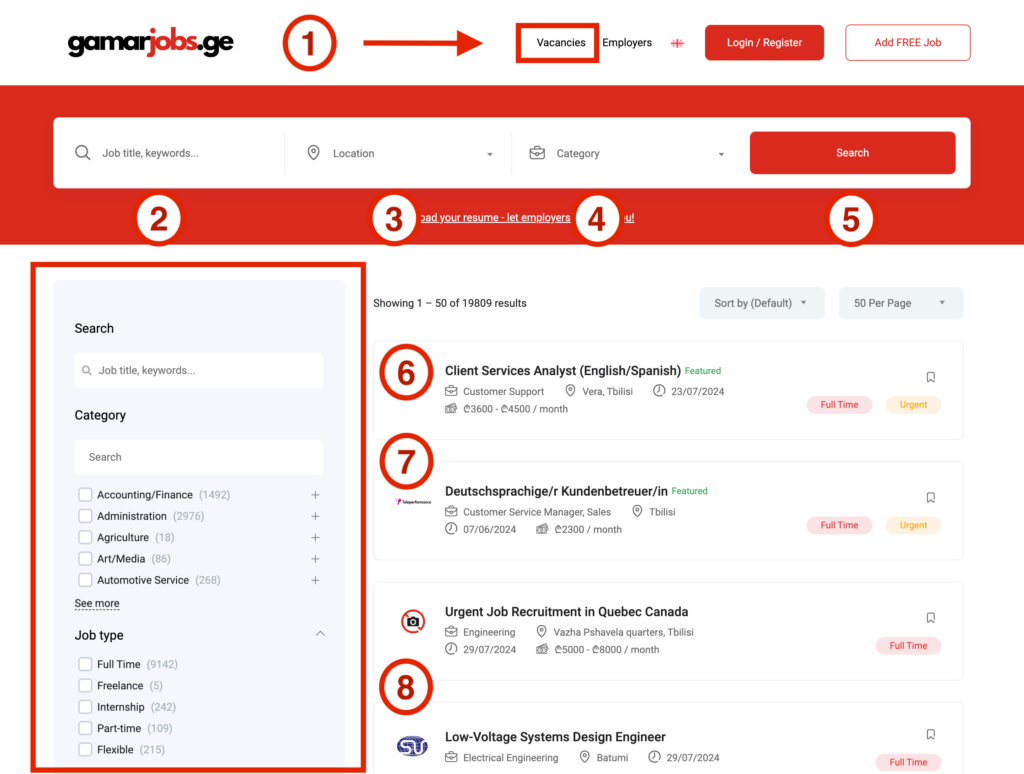
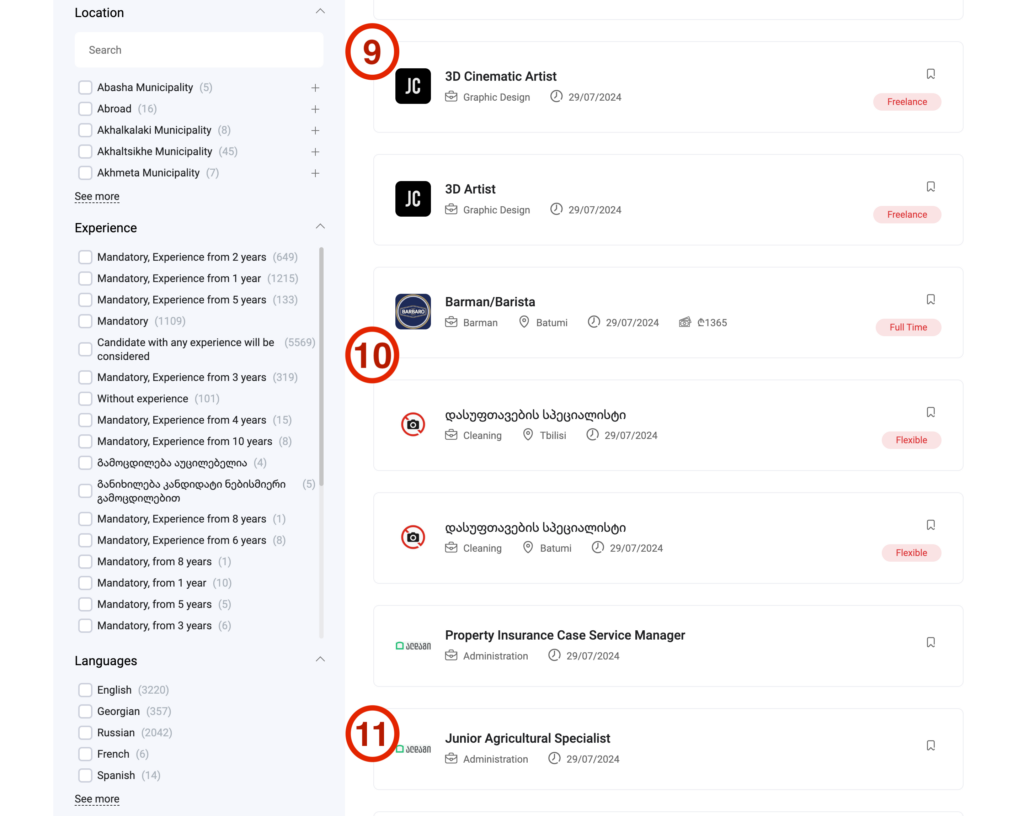

On the left is a detailed search block.
There is also a search by name (6), category (7), but more fields have been added:
By clicking on the “Show sidebar” link, you can open the detailed search block.
There is also a search by name (6), category (7), but more fields have been added:
After selecting the desired item, the filter is triggered automatically, you just need to wait a second or two.
Our website presents a large number of vacancies, so we strongly recommend using filters for your convenience.

Georgia’s #1 employment marketplace to find an ideal job or candidate for FREE. Book Sales Call
 Mon – Fri 9am – 6pm (GET)
 connect@gamarjobs.ge


© gamarjobs.ge | All Rights Reserved | Privacy Policy | Cookies | Terms and Conditions
Made with  in Georgia
© gamarjobs.ge | All Rights Reserved
Privacy Policy | Cookies | Terms and Conditions | Refund Policy
Made with in Georgia
Others |
|
| Other uncategorized cookies are those that are being analyzed and have not been classified into a category as yet. | |
Necessary |
Necessary |
| Necessary cookies are absolutely essential for the website to function properly. These cookies ensure basic functionalities and security features of the website, anonymously. | |
Advertisement |
|
| Advertisement cookies are used to provide visitors with relevant ads and marketing campaigns. These cookies track visitors across websites and collect information to provide customized ads. | |
Analytics |
|
| Analytical cookies are used to understand how visitors interact with the website. These cookies help provide information on metrics the number of visitors, bounce rate, traffic source, etc. | |
Functional |
|
| Functional cookies help to perform certain functionalities like sharing the content of the website on social media platforms, collect feedbacks, and other third-party features. | |
Performance |
|
| Performance cookies are used to understand and analyze the key performance indexes of the website which helps in delivering a better user experience for the visitors. | |